

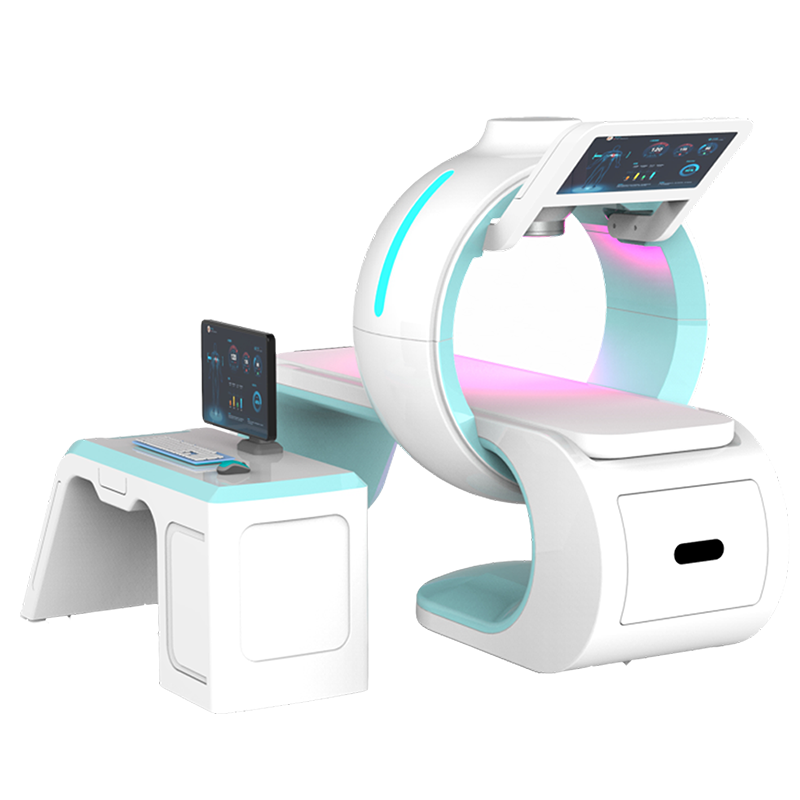
Health analyzer workflows need more than an attractive report. A business also needs clear user roles, repeatable steps, controlled data access and reliable supplier support. This system is positioned for managed wellness consultations, not medical diagnosis or treatment.
It may fit wellness centers, distributor showrooms, training rooms and service networks. Buyers should evaluate the complete operating environment before comparing prices.
Plan the health analyzer workflow first
Decide who welcomes the client, operates the system, explains the report and handles technical problems. Next, define how records move through the business. Finally, confirm that the proposed hardware and software support those roles.
This planning reveals requirements that a feature list can miss. For example, a team may need separate accounts, clean exports or multilingual reports. Managers may also need to document software updates and operator training.
Controlled wellness report sessions
A controlled session follows an approved sequence. First, the operator checks the station and software profile. Then, the client receives a clear explanation of the session scope. The operator follows the current manual. Afterward, the report is reviewed with careful language.
- Use an approved introduction.
- Confirm the active configuration.
- Follow the current manual.
- Separate software output from clinical interpretation.
- Protect exported reports.
- Record technical problems for support.
Multi-operator management
A health analyzer may be used by several trained staff members. Therefore, role management matters. Ask whether the software provides separate accounts, permissions and activity records. Shared passwords make errors harder to trace.
Managers should maintain an operator list and training date. They should define which staff can create, export, edit or delete records. When someone leaves the team, remove access promptly.
Report governance
The report may contain many sections, graphics and labels. Staff need an approved explanation for each section. During training, request a complete sample report and a field-by-field guide. Then create an internal script that avoids unsupported conclusions.
Diagnosis, detection, treatment and cure are medical claims. Consequently, staff should describe what the software displays without turning it into a clinical conclusion. Refer medical questions to qualified professionals.
Configuration and optional modules
The previous listing referenced Eagle Eye and 18D options. Current inclusion, technical basis and report scope have not been verified. Treat those names as configuration questions, not confirmed specifications. Ask the supplier to show each module in the quotation and demonstration.
| Area | Evidence |
|---|---|
| Base system | Model label, packing list and current manual |
| Optional modules | License status, hardware needs and sample output |
| Software | Version, platform and update policy |
| Reports | Complete sample in the required language |
| Users | Roles, permissions and recovery process |
| Data | Storage, retention, export and deletion controls |
Product details
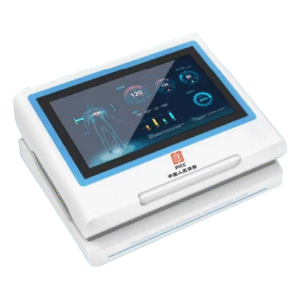
| Model | JCY-38 |
|---|---|
| Category | Wellness report and consultation management equipment |
| Deployment | Wellness centers, distributor networks, showrooms and training |
| Legacy options | Eagle Eye / 18D; verify current functions and inclusion |
| Specifications | Confirm with the current manual, specification sheet and quotation |
| Positioning | Wellness education and report review; no diagnosis or treatment claim |
The model appears here only for product mapping. The knowledge record does not confirm fixed voltage, sensor count, placement, sampling frequency, assessed regions, session time or sensing principle. Those claims have been removed.
Supplier demonstration checklist
Confirm identity
Check the label, software screen, manual and quotation. All should identify the same configuration.
Observe account setup
Ask the demonstrator to create or switch users. Review permissions, recovery and activity history.
Run the approved workflow
Watch each step and compare it with the manual. Request written clarification for any difference.
Review a complete report
Inspect every page, label, unit and limitation. Ask which content comes from input, calculation, database comparison or a fixed template.
Test export and deletion
Confirm printing and export. Then ask the supplier to demonstrate deletion and explain whether copies remain.
Open a support case
Use a sample question to understand the channel, response time and remote-access procedure.
Training and quality assurance
Training should include setup, approved terminology, privacy, report review and escalation. Each operator can complete a supervised session. Managers can document competency and schedule refreshers.
Quality checks should continue after launch. Review a sample of sessions and note recurring questions. Moreover, repeat the review after software updates.
Privacy and retention
Collect only information needed for the approved service. Tell clients how it will be used and obtain consent where required. Keep exports in an authorized location.
A retention schedule helps staff know when to delete records. For cloud services, confirm hosting, account ownership, backups and termination procedures.
Commercial evaluation
Compare total ownership cost. Include modules, renewals, computer hardware, installation, training, shipping, accessories and support. Ask whether future report templates require payment.
Next, compare service readiness. A lower price may offer less value if training is incomplete or parts are difficult to obtain. Use the same checklist for every supplier.
Frequently asked questions
Is a health analyzer a medical diagnostic device?
The term alone does not establish regulatory status. This page makes no diagnostic claim. Verify intended use in the destination market.
Are Eagle Eye and 18D included?
The older listing called them optional. Current scope needs a model-specific quotation and demonstration.
Does it use micro-NMR or quantum resonance?
Those claims are not published because verified model documents are not matched. Request formal technical evidence.
Does every session take three to five minutes?
No fixed duration is claimed. Time depends on configuration, operation, software and consultation.
Can several operators use one system?
Potentially, but buyers should verify accounts, permissions, training and data procedures.
What documents should accompany an order?
Request the specification sheet, manual, packing list, module list, warranty, support terms and compliance documents.
Request a deployment review
Share your market, operator count, language, privacy requirements and expected volume. Before ordering, confirm every parameter, module, accessory and support promise in writing.
Reviews
There are no reviews yet.